Can I put videos in an Instagram story collage?
Yes. Make the collage here with clips and photos mixed, export a 1080×1920 MP4 and post it as one story. Every clip plays at once in its cell.
Free · photos and videos together · nothing uploaded
Videos and photos in one 9:16 story, with music, text and guides that show where Instagram’s buttons will sit. Post it as one story or reel.
This tool opens in the Story 9:16 format with Safe zones switched on. Select Add photos and videos, pick a mix of clips and pictures, and a story-shaped template is chosen for you. Add a song in Music, then Export a 1080×1920 MP4 and post it to your story from your gallery.
Instagram has its own Layout grid in the Stories camera. It is quick for photos, but you can’t set how long the story lasts, add your own soundtrack underneath or use polaroid and film-strip looks. How Instagram’s Layout handles videos explains the built-in options in detail.
Select Add photos and videos and pick everything for the story in one go. Up to nine fit in one collage.
Open the Layout tab: Mosaic for a feature shot, Polaroids for a scrapbook feel, Film strip for travel, Grids for many moments.
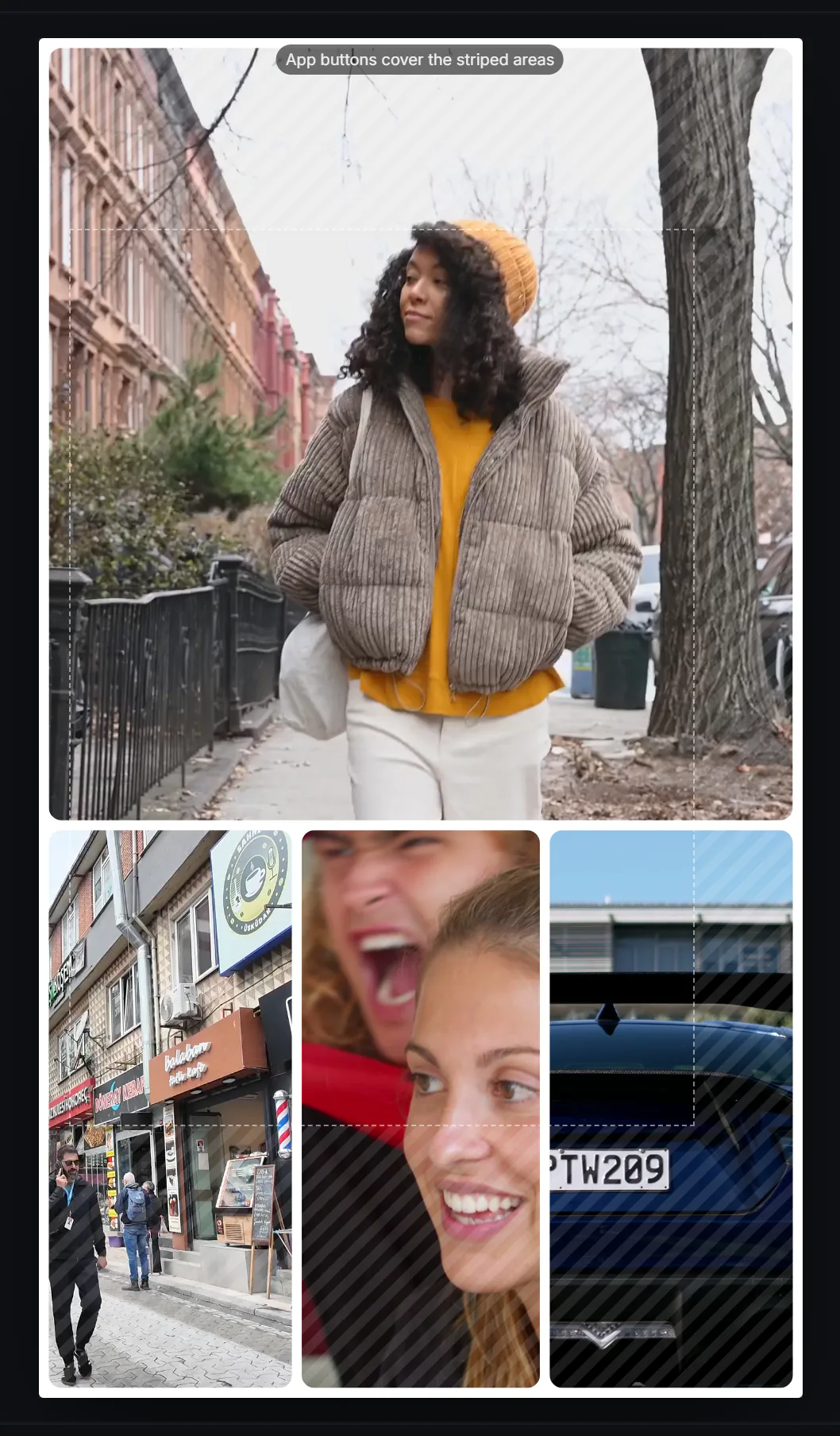
The striped Safe zones show where the profile row, reply bar and buttons cover the story. Keep faces and text out of them.
 (enlarge image)
Keep faces and text inside the dashed box; stripes mark where the app’s buttons sit.
Add music in the Music tab, and a title or date in Text. Choose Lower under Clip sound to keep voices under the song.
Select Export, then Export video. On a phone, use Share and choose Instagram, or save it and add it from your gallery.
Instagram plays each story clip for up to 60 seconds and splits longer videos into back-to-back clips. For one clean frame, keep the collage under a minute: in the Timing tab, Auto matches your longest clip, or choose Set length and tap 15 s or 30 s.
A common complaint about built-in story collages is that they fly past too fast. Here you control the pace: lengthen Photo length for photo-heavy collages, or turn on Show one by one so each cell gets its own moment before the next appears.
You can bake your own song into the collage here, or export it silent (or with only the clips’ sound) and add a track from Instagram’s music sticker when you post. Instagram may mute audio it can’t license, so tracks you made or are allowed to use are the safe choice for the baked-in route.
Yes. Make the collage here with clips and photos mixed, export a 1080×1920 MP4 and post it as one story. Every clip plays at once in its cell.
1080×1920 pixels, a 9:16 ratio. That is the Story format here.
Set the length yourself in the Timing tab, use a longer Photo length, or turn on Show one by one so items appear in turn.
Yes. The same 9:16 MP4 works as a reel; see the Reels and TikTok collage page for reel-specific tips.
No. Layout is built into the Stories camera, but this collage arrives as a finished video, so you post it like any other clip from your gallery.
Those are the safe-zone guides: the parts of a story that Instagram covers with your profile, the reply bar and buttons. They never appear in the export. Turn them off with the Safe zones button.