How do I put multiple videos on one screen on TikTok?
TikTok’s own Duet layouts only pair your recording with another TikTok. To show several of your own clips at once, make the collage here and upload the MP4 to TikTok.
Free · photos and videos together · nothing uploaded
Several clips and photos in one vertical video, built to survive the like buttons and captions. For Instagram Reels, TikTok and YouTube Shorts.
To make a collage reel or TikTok, add your clips and photos above (the editor is already in 9:16), pick a layout, and export a 1080×1920 MP4. Neither Reels nor TikTok has a grid for your own camera-roll clips: TikTok’s Duet layouts and YouTube’s Collab put you next to someone else’s video, not next to your own.
What makes a collage work as a short video is pace. Show one by one in the Timing tab reveals each cell on the beat, so the video builds instead of showing everything in the first second.
Select Add photos and videos and pick three to nine items. Short clips (2 to 6 seconds) work best.
Mosaic, Big top, two below and Film strip read well on a phone; a 3 × 3 grid is busy at this size.
In Timing, turn on Show one by one and set Time between cells to match your track’s beat.
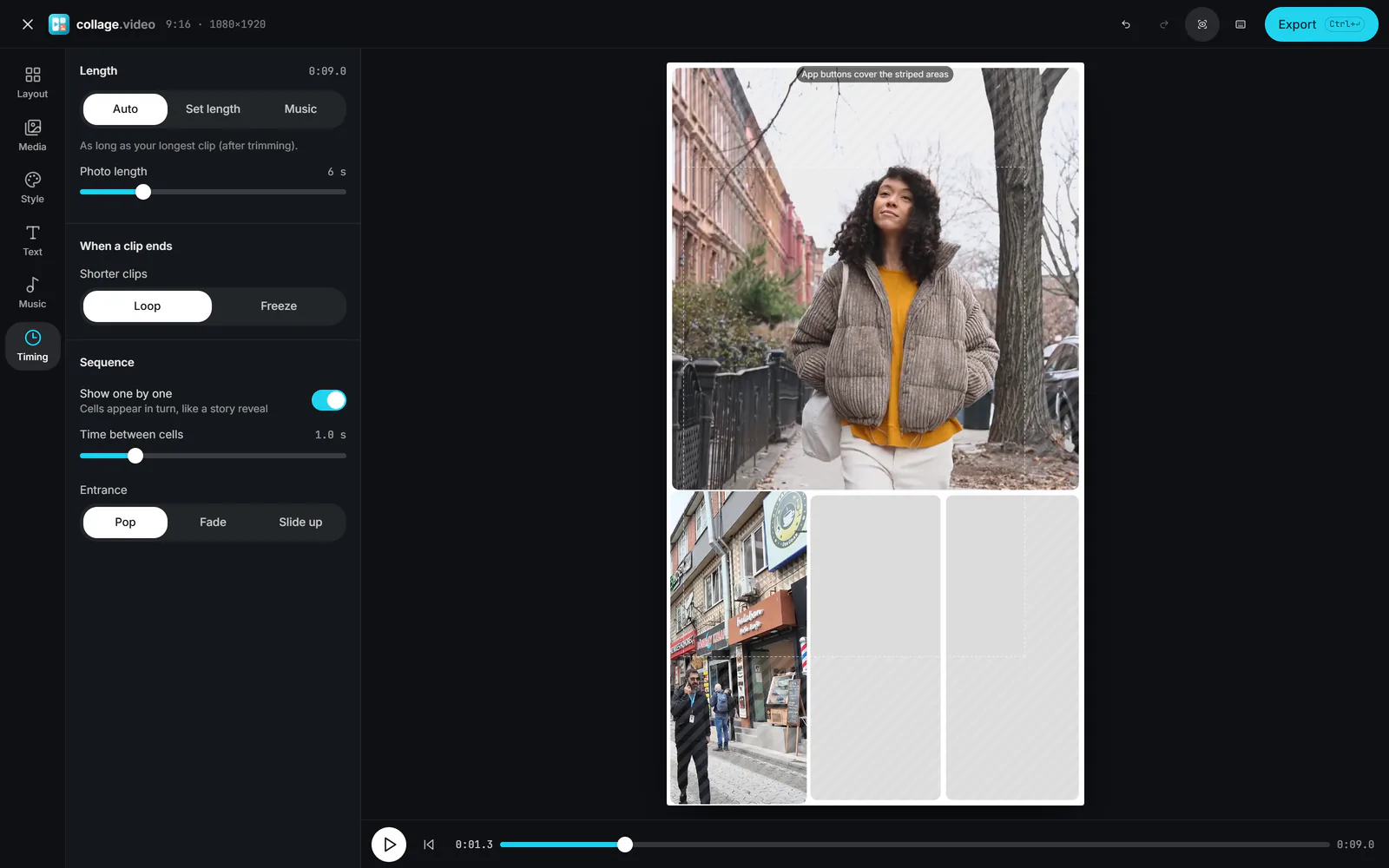 (enlarge image)
Show one by one reveals the cells in turn.
Keep faces and text inside the dashed box: the striped areas sit under buttons, captions and the username.
Select Export, then Export video. Add trending audio in the app, or bake your own song in under Music.
A collage here can be up to 3 minutes long, which covers all three.
Trending sounds only count as "using the sound" when you add them inside the app, so for trend-led posts export with the clips’ own sound (or silent) and pick the track when you upload. For your own music, voice-over or a song you have the rights to, add it in the Music tab and choose Lower under Clip sound to keep voices audible underneath.
TikTok’s own Duet layouts only pair your recording with another TikTok. To show several of your own clips at once, make the collage here and upload the MP4 to TikTok.
1080×1920 (9:16), the Story format here.
Yes. Turn on Show one by one in the Timing tab and choose Pop, Fade or Slide up.
No. The export carries nothing but your collage.
Yes. Shorts take square or vertical videos up to 3 minutes; the Story or Square formats both work.